


If you’re registering for GST/VAT or filing returns online, you’ve likely come across a TRN (Temporary Reference Number). It’s a small code with a big role—especially during registration and return filing workflows. In this guide, you’ll learn what TRN is, how businesses use it in e-filing and VAT returns, common mistakes, and best practices to avoid delays.
🔍 What is TRN in E-Filing?
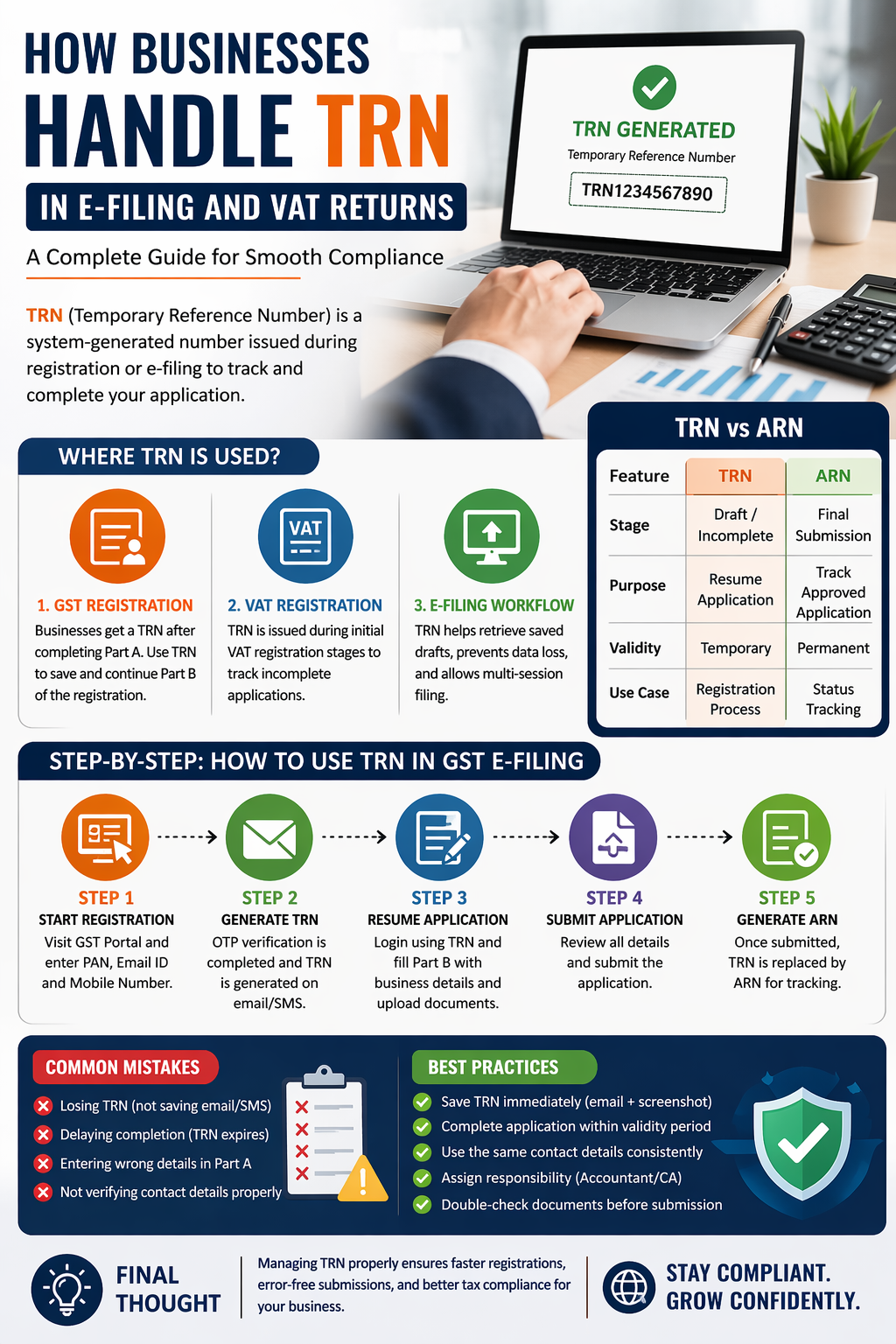
A Temporary Reference Number (TRN) is a system-generated number issued when a taxpayer starts an online application (like GST/VAT registration) but hasn’t completed it yet.
It is primarily used on platforms like the GST Portal to:
- Save partially filled applications
- Resume registration later
- Track application status before final submission
👉 Think of TRN as a “save & continue” ID for your tax application.
🧾 Where TRN is Used in Business Processes
1. GST Registration (Most Common Use)
Businesses starting GST registration:
- Fill Part A (basic details like PAN, email, mobile)
- Receive a TRN
- Use TRN to complete Part B (documents, bank details, business info)
✔️ Without TRN, you cannot resume the application.
2. VAT Registration (Country-Specific)
In countries with VAT systems:
- TRN may be issued during initial registration stages
- Helps businesses track incomplete VAT applications
Note: VAT workflows differ by country, but the concept is similar—temporary tracking before final submission.
3. E-Filing Workflow Integration
During e-filing:
- TRN helps retrieve saved drafts
- Prevents data loss
- Enables multi-session filing (especially useful for consultants handling multiple clients)
⚙️ Step-by-Step: How Businesses Use TRN in GST E-Filing
Step 1: Start Registration
Visit GST Portal and enter:
- PAN
- Email ID
- Mobile number
Step 2: Generate TRN
- OTP verification is completed
- TRN is generated and sent via email/SMS
Step 3: Resume Application
- Log in using TRN
- Upload documents:
- PAN card
- Aadhaar
- Business proof
- Bank details
Step 4: Submit & Generate ARN
After final submission:
- TRN is replaced by ARN (Application Reference Number)
- ARN is used for final tracking
🔑 TRN vs ARN (Important Difference)
| Feature | TRN | ARN |
|---|---|---|
| Stage | Draft / Incomplete | Final Submission |
| Purpose | Resume application | Track approved application |
| Validity | Temporary | Permanent |
| Use Case | Registration process | Status tracking |
👉 Businesses often confuse these—TRN is not for final tracking.
🚨 Common TRN Mistakes Businesses Make
- ❌ Losing TRN (not saving email/SMS)
- ❌ Delaying completion (TRN expires after limited time)
- ❌ Entering wrong details in Part A
- ❌ Not verifying contact details properly
💡 Best Practices for Businesses
✔️ Save TRN immediately (email + screenshot)
✔️ Complete application within the validity period
✔️ Use the same contact details consistently
✔️ Assign responsibility (accountant/CA)
✔️ Double-check documents before submission